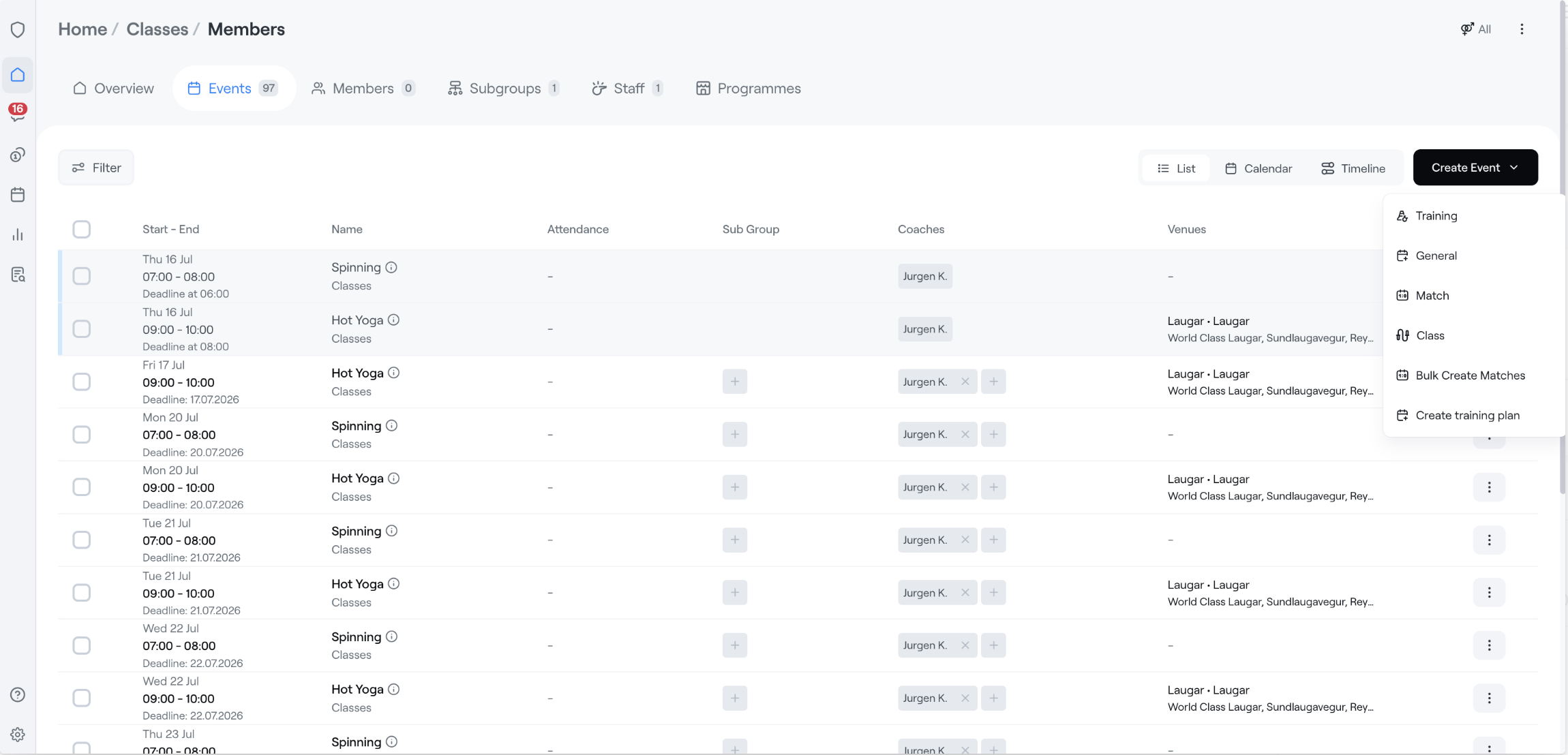
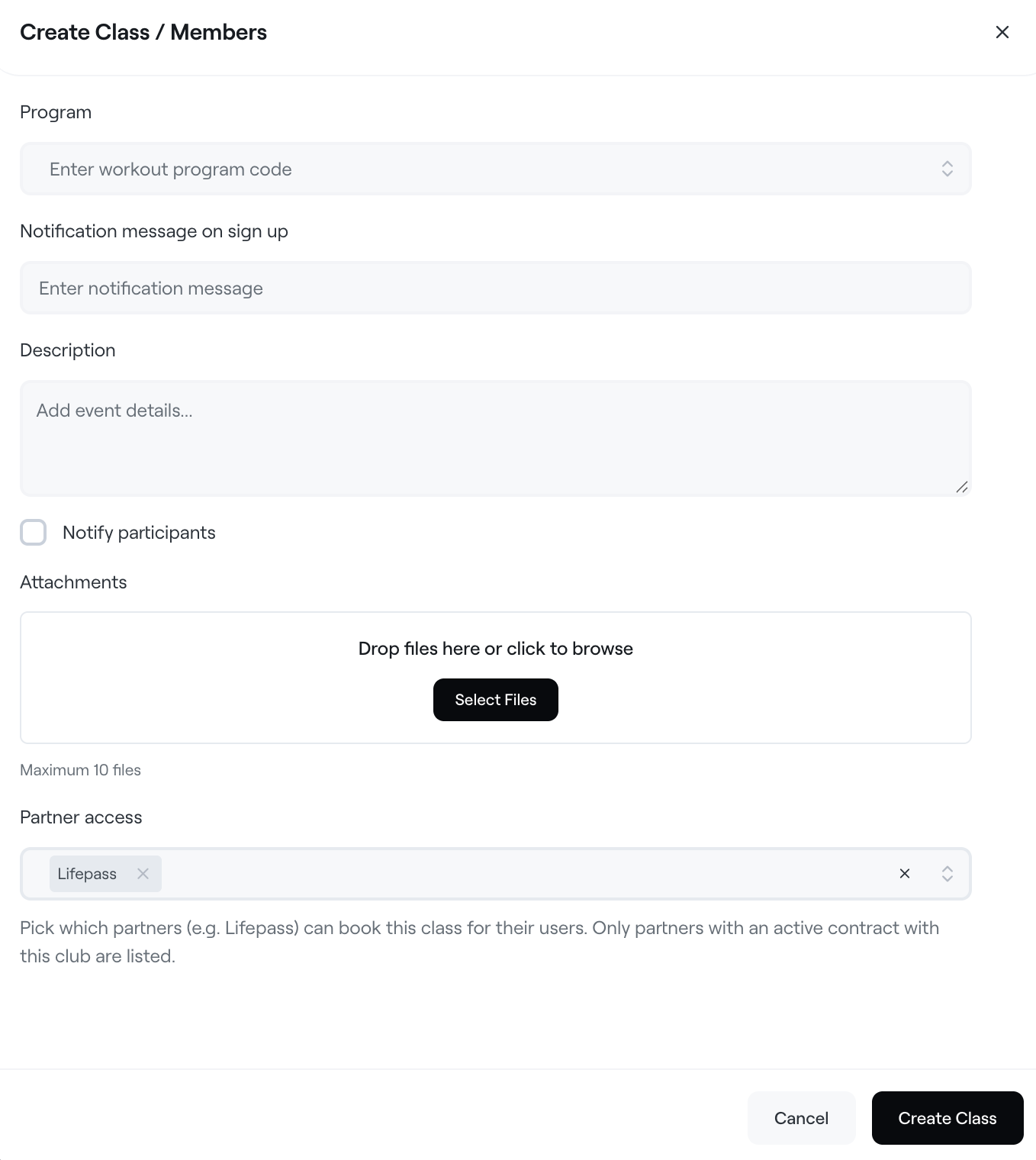
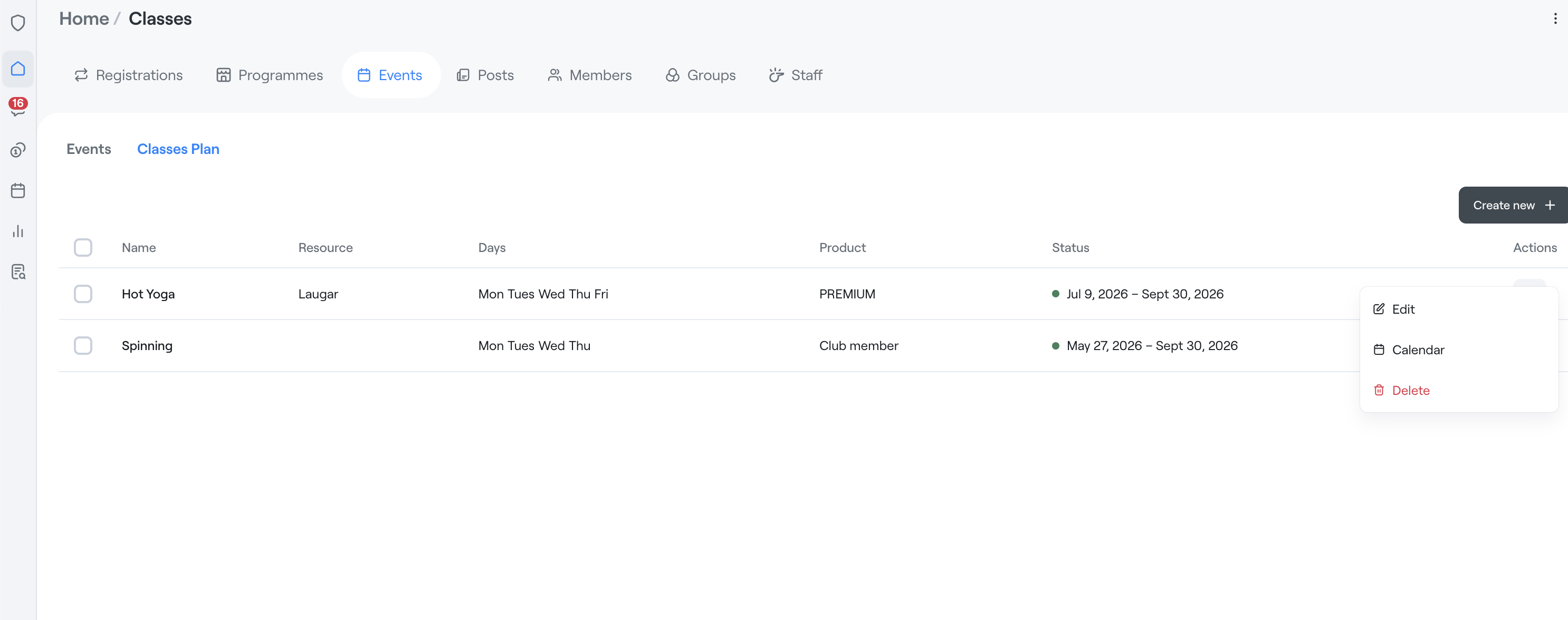
To allow bookings from Lifepass users, go to Classes plan and select the partner.
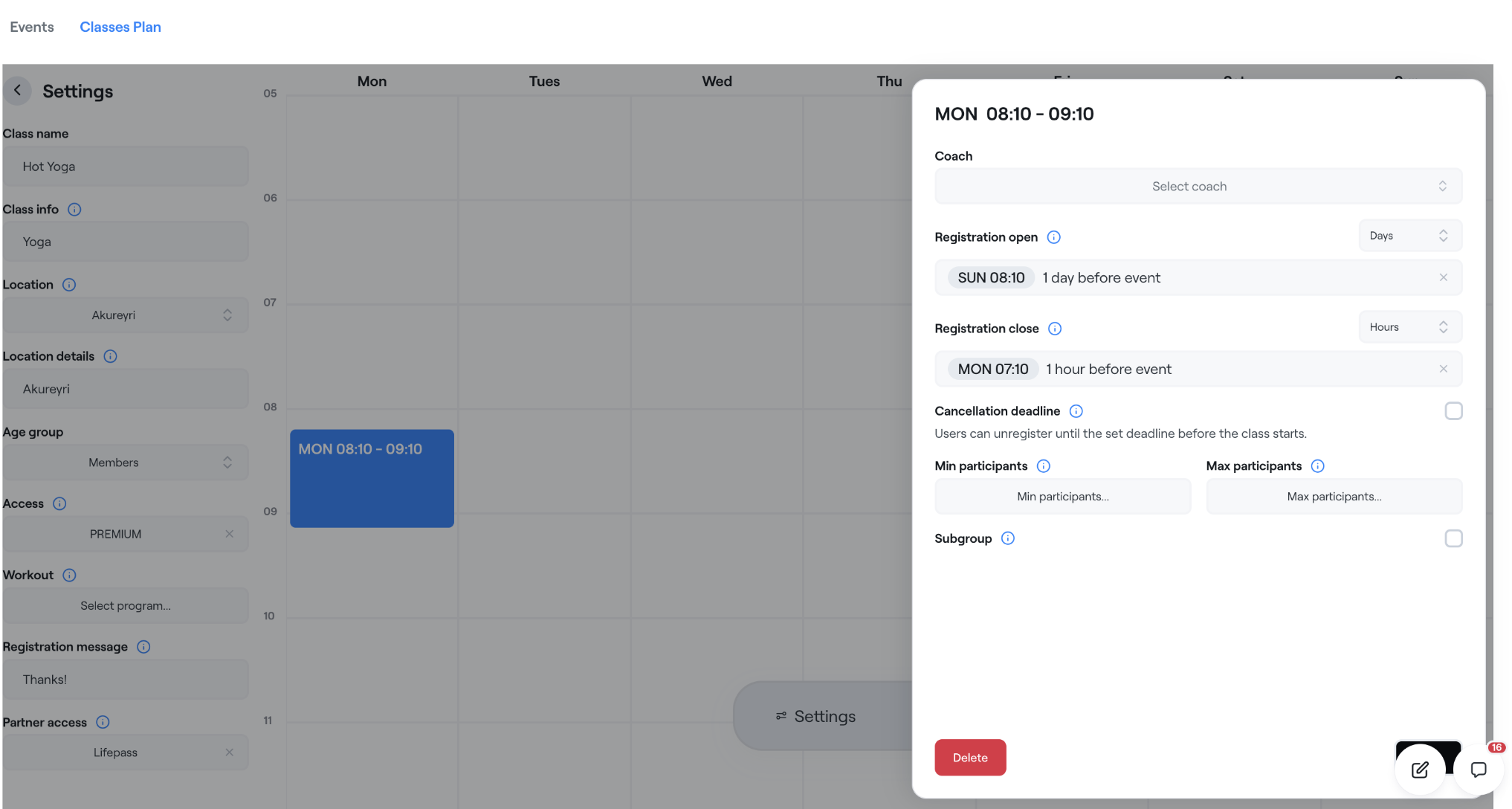
We recommend enabling this by default going forward when creating the Classes plan in the settings.
Since there are usually active plans already running, you can also change this on the plans that should be open for bookings from the partner — this is done in the same place under Edit Classes plan.
You can also control this down to each individual session and create sessions without the partner for a special occasion, but we expect that in most cases this will be enabled on the plan when it's created. With this, the venue has full control over bookings from the partner.