
It is possible to set a waiting list and limit the number of spots available for services. This can be done during the service setup process.Setting Up a Waiting List and Limited Spots
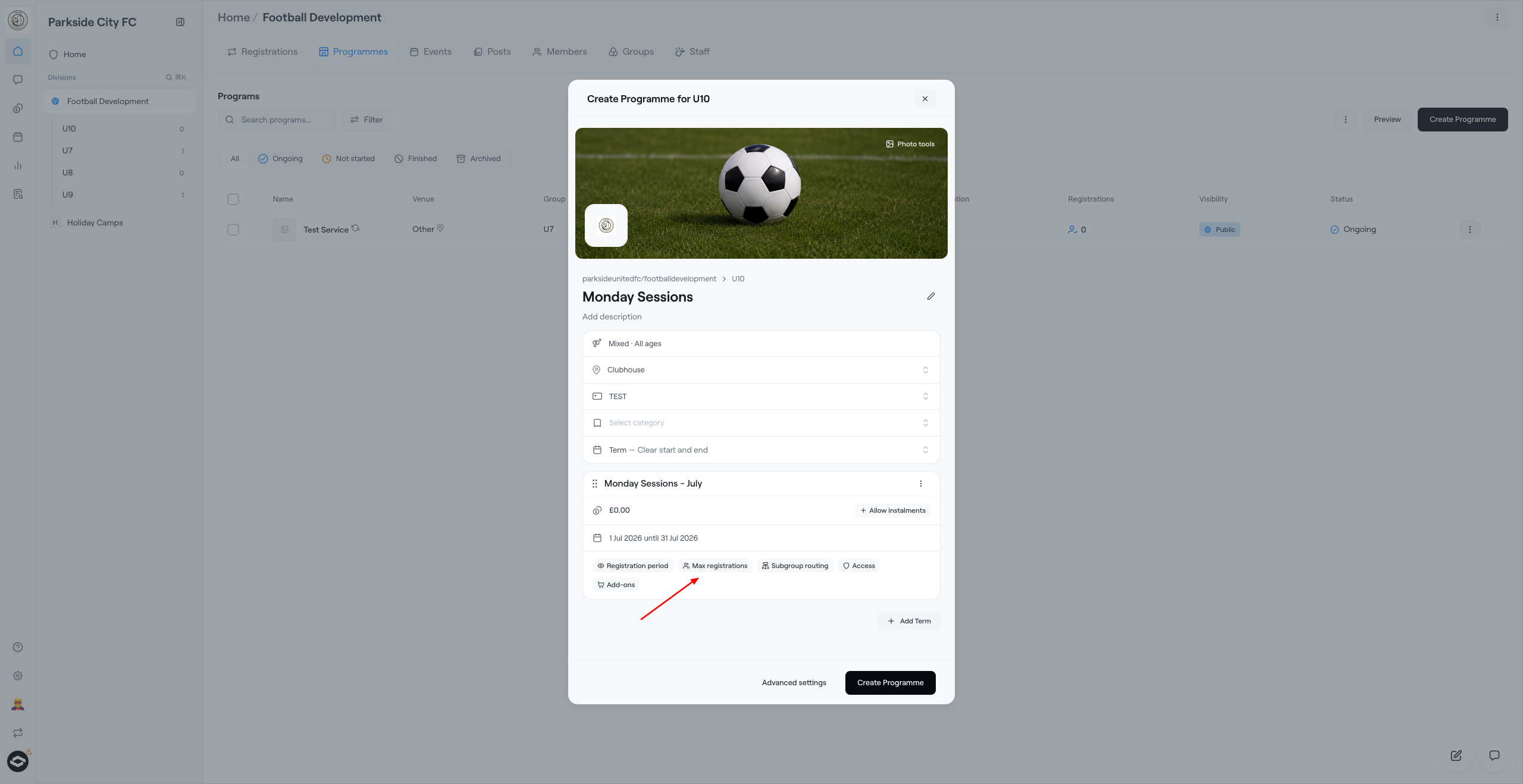
To begin, click on “Create Programme" to create a new program.
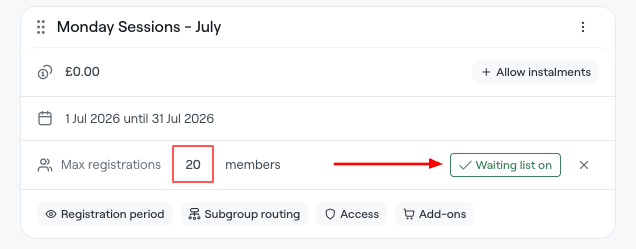
During the setup, you can enable Max registrations. Once you've set the maximum number of spots for the service under option, you can enable a waiting list.
Moving a Player from the Waiting List
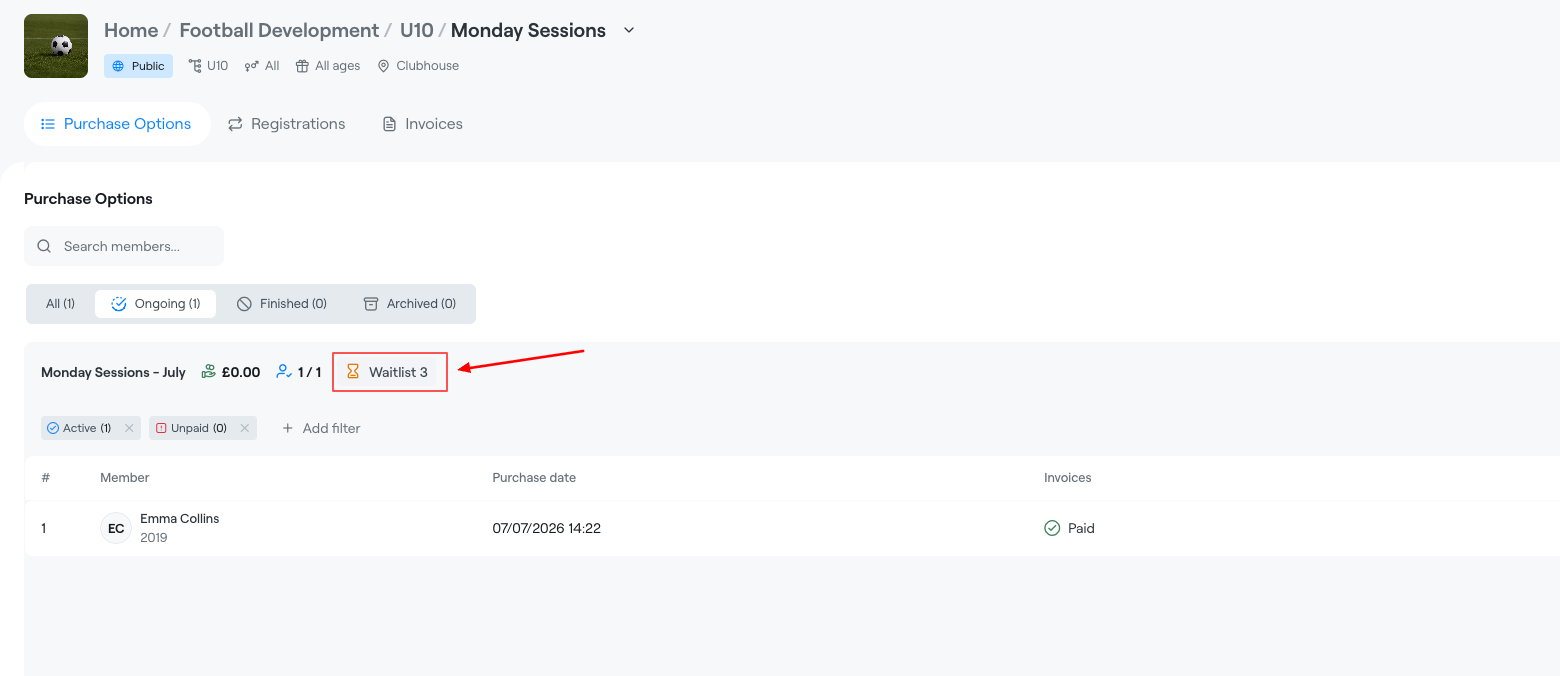
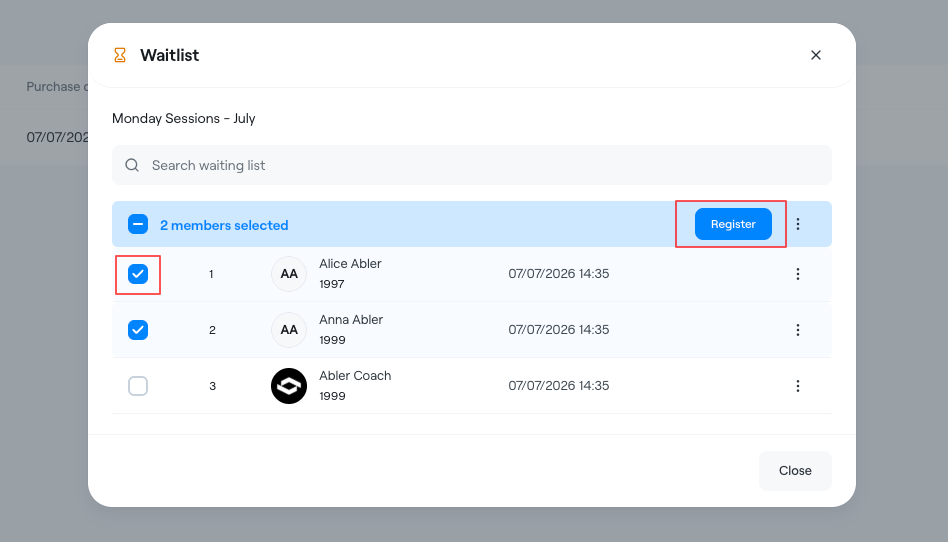
When a spot becomes available, you can register a player from the waiting list by opening the list in the programme.
You can select one or more players at the same time and add them to the appropriate option.
Players on the waiting list are displayed in the order they joined the waiting list, with the earliest registrations shown first.
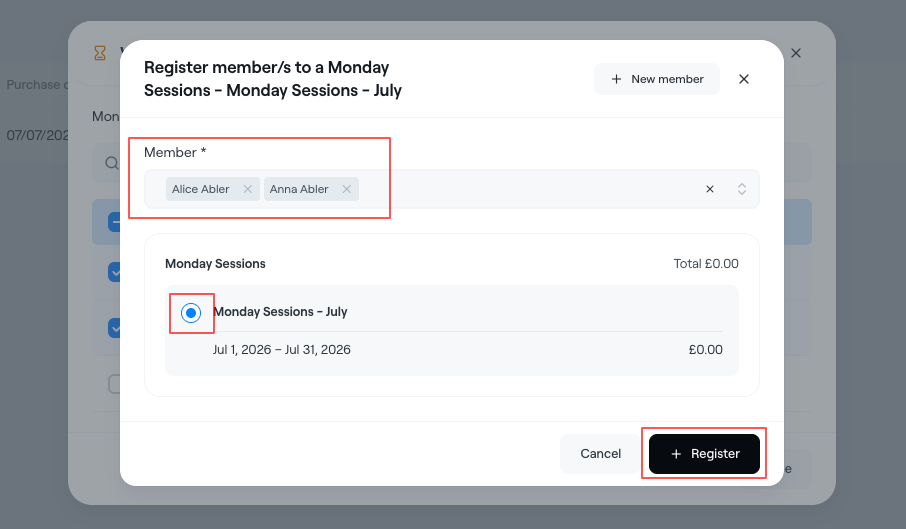
As soon as this is done:
- The registered person receives a notification.
- An email is also sent where they can complete the payment and secure the spot.