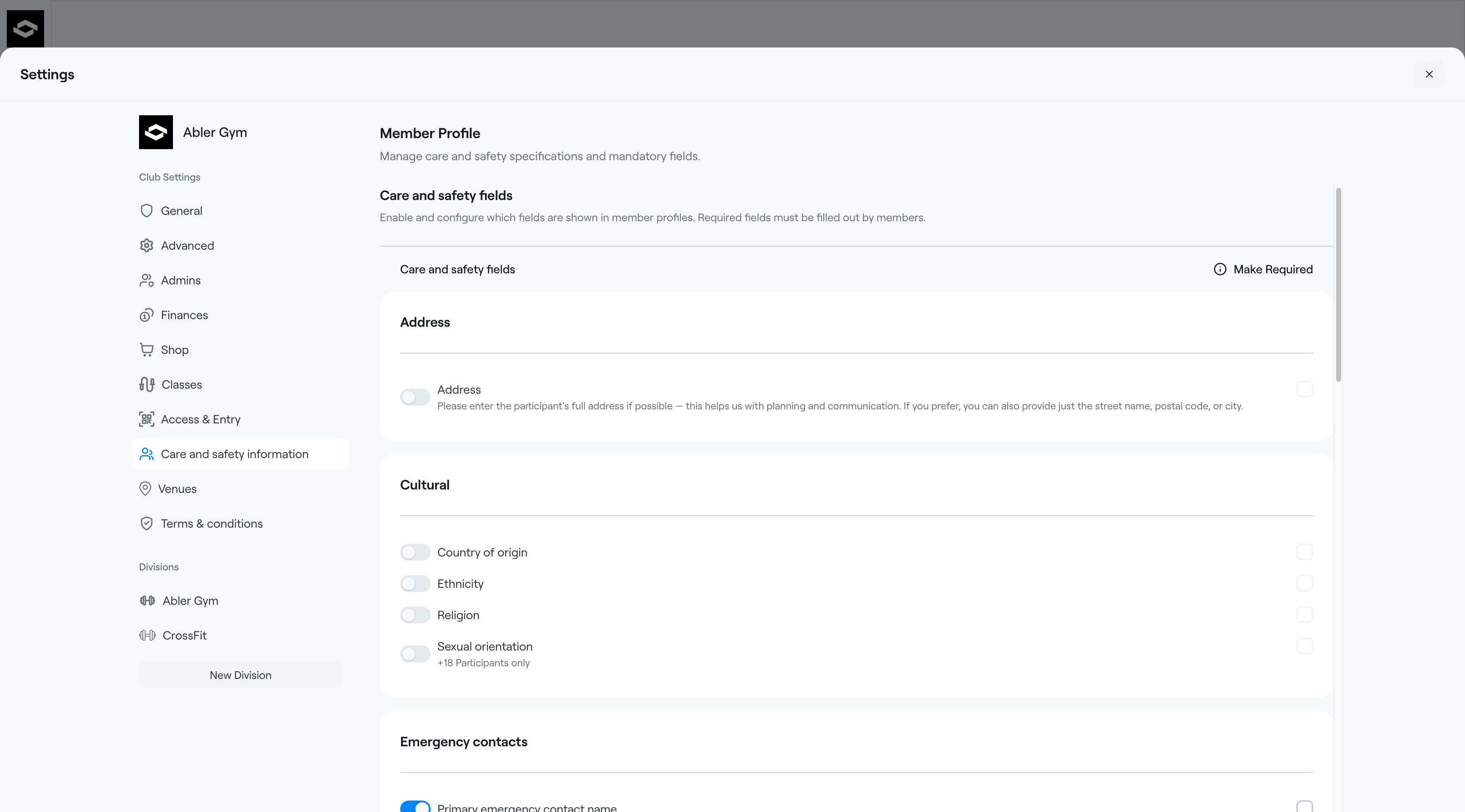
The Care and Safety Information section allows clubs to collect important participant information during registration. This helps clubs provide a safer experience, improve communication with families, and ensure coaches have access to relevant details when needed.
Club administrators can choose which fields are visible, optional, or required for members to complete.
How it works
When a participant or parent registers for the first time, they will be asked to complete the Care and Safety Information form as part of the registration process.
After the information has been submitted:
- The answers are securely saved to the member’s profile
- Future registrations will automatically use the saved information
- Parents and members can update their answers at any time in the Abler app
- Coaches and staff can view relevant information from the member list within their group or an event.
This reduces the need to repeatedly enter the same information for every registration.
Available categories
Clubs can enable or disable fields within the following categories:
- Address
- Cultural
- Emergency Contacts
- Marketing
- Medical Condition
- Safeguarding
- School & Learning Information
Required fields
Club administrators can mark individual fields as Required.
Participants must complete all required fields before they can finish registration.
Optional fields can be skipped and completed later.