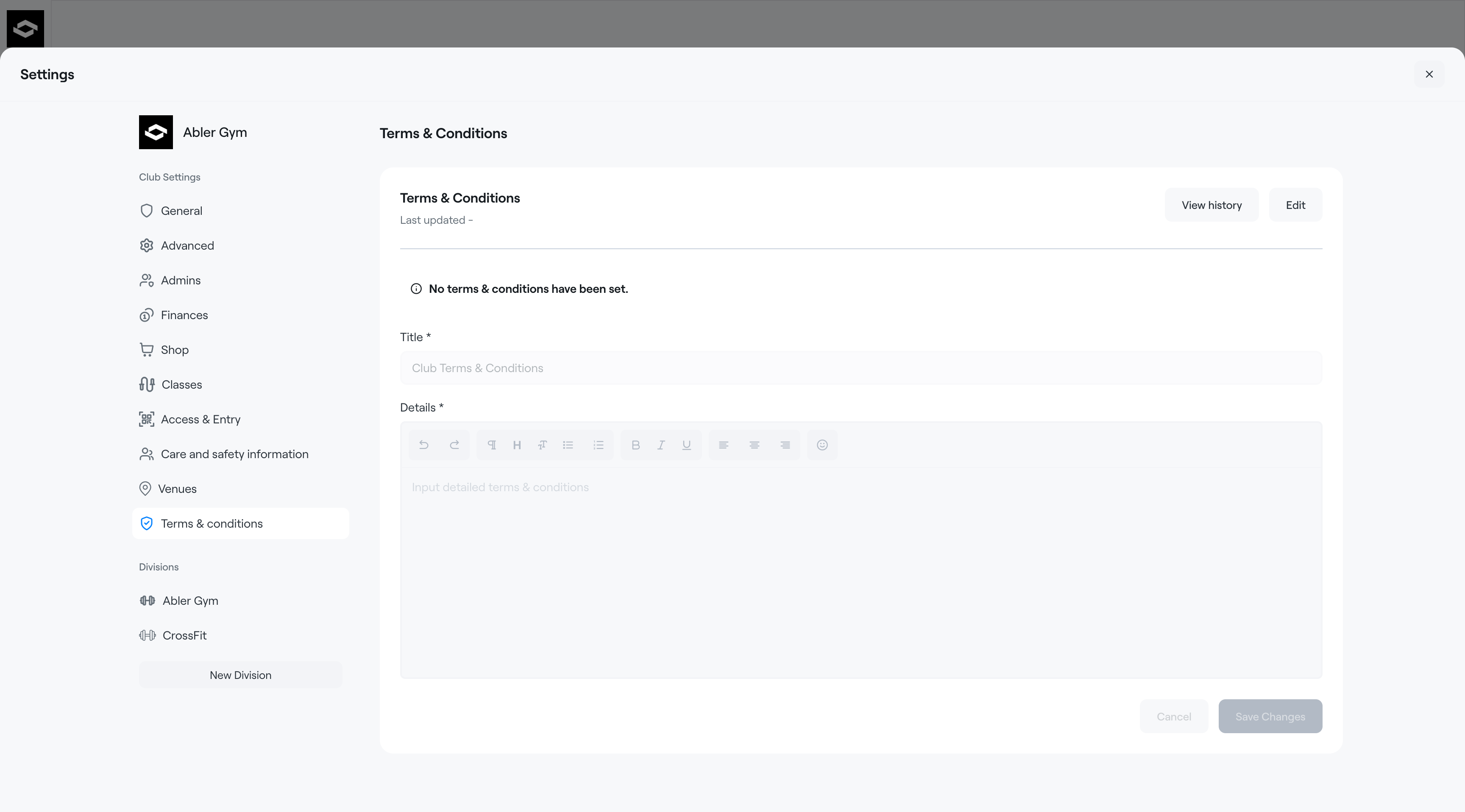
Club terms and conditions can be included in the program enrollment process in the web shop.
Participants must accept the terms and conditions before they can complete payment and finalize their registration.
To create Terms & Conditions
- Go to Settings
- Select Terms & Conditions
- Click the Edit button
- Enter the title and the content of your terms and conditions
- Save your changes
Your terms and conditions will now be shown during checkout in the web shop and require approval from all participants before payment can be completed.
To edit Terms & Conditions
- Go to Settings
- Select Terms & Conditions
- Click Edit
- Update the title or content of your terms and conditions
- Save your changes
All changes to terms and conditions are tracked automatically.
To review previous versions, click the View history button.