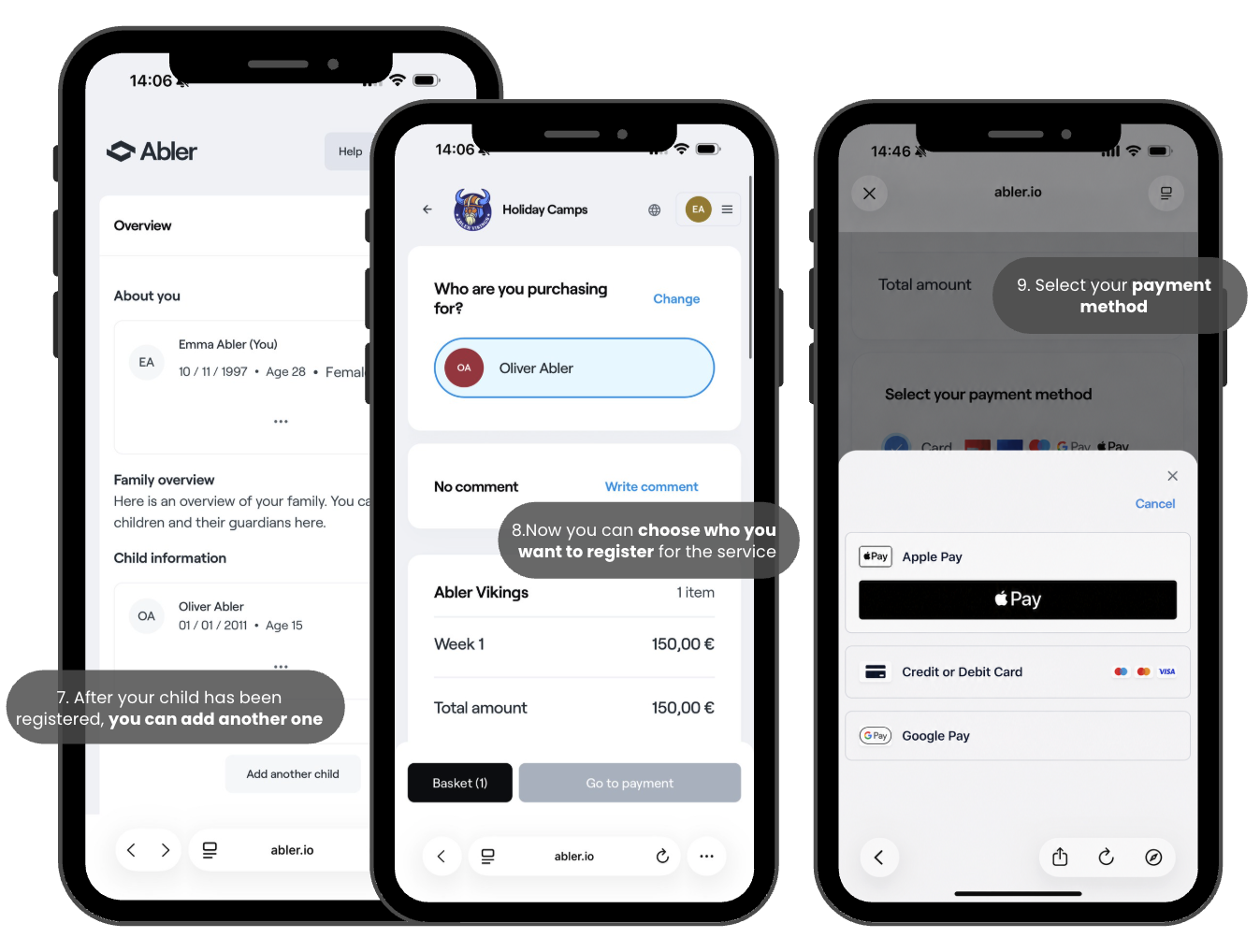
First, find your club’s Abler shop or enter the shop link directly from the club.
1. To begin, select the service you want to sign up for yourself or your child.
2. By clicking on a service, you will see all its information. Services may have several options, choose the option and continue to payment.
3. If you already have an account, sign in. If not, create your own Abler account.
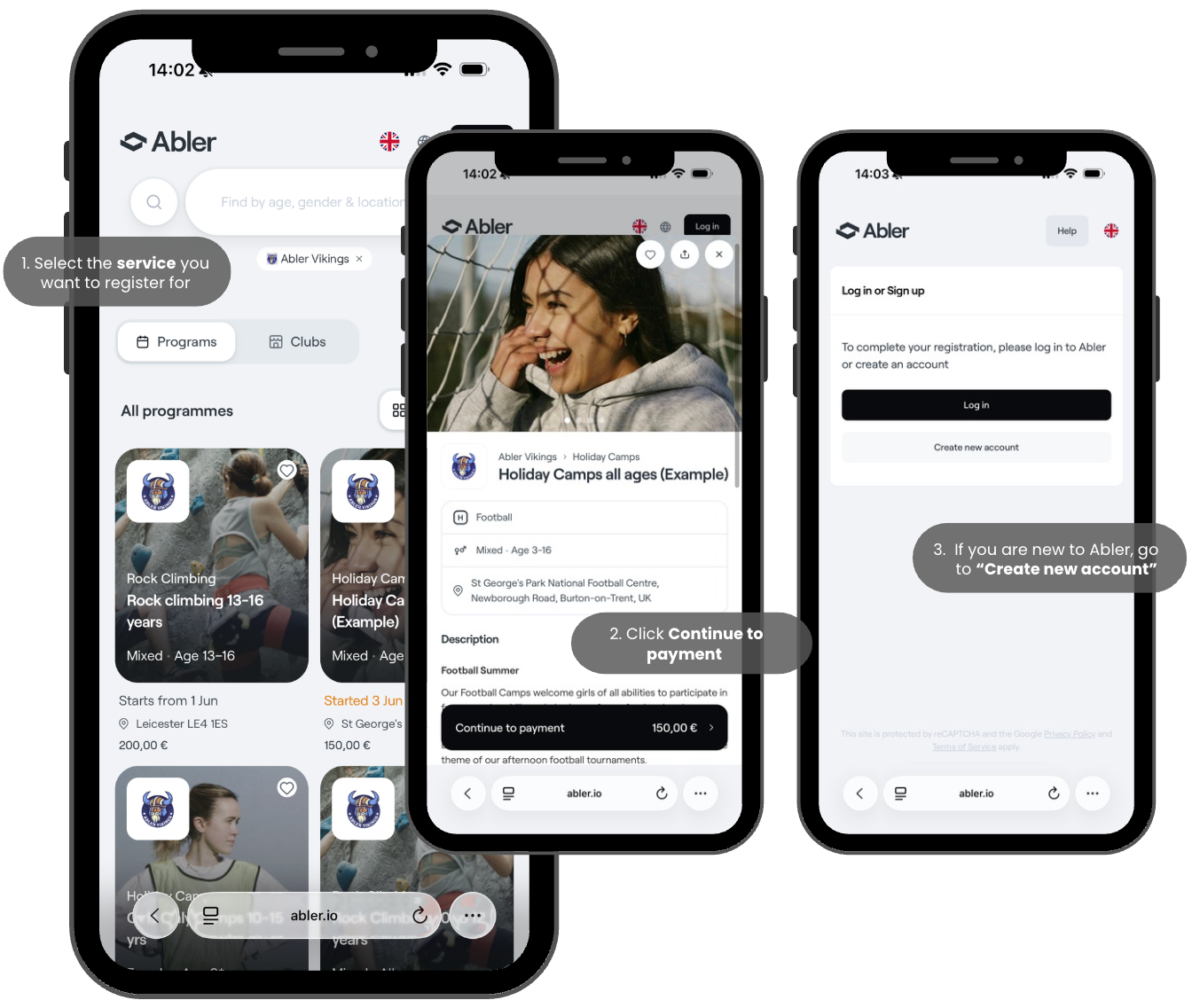
4. To start creating your account, you need to verify your email address or phone number by entering the verification code sent to you.
5. You will need to fill out all the required fields with your information, such as your name, date of birth, gender, and either your verified email address or phone number. If one of them has not yet been verified, you can verify it at the end of the process.
6. If you have a child, this is the moment to add them to your account. This will allow you to sign your children up for services and view their schedules.
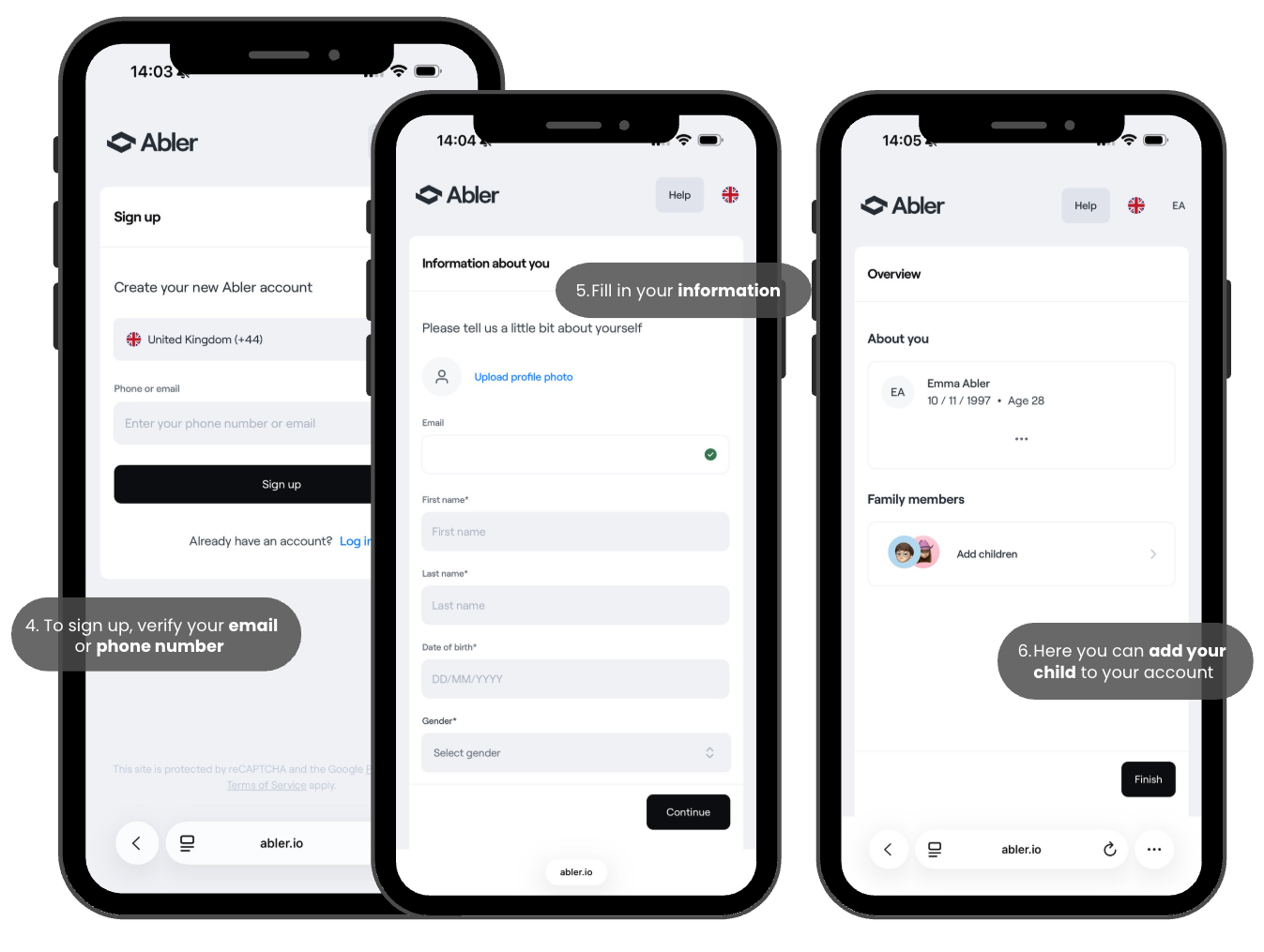
7. After your child has been added to your Abler account, you can add another child or another guardian connected to the child. (This can also be done later.)
8. Once your account has been created, you can continue with the registration process. Here, you select who the service is being purchased for. If the service is only available for children of a certain age, you will only be able to select your children and not yourself.
- During the first registration, you will need to fill out the member profile, and some clubs may also have their own custom survey. You cannot continue with the registration unless the terms and conditions have been accepted.
9. Continue with the checkout process and select your preferred payment method.