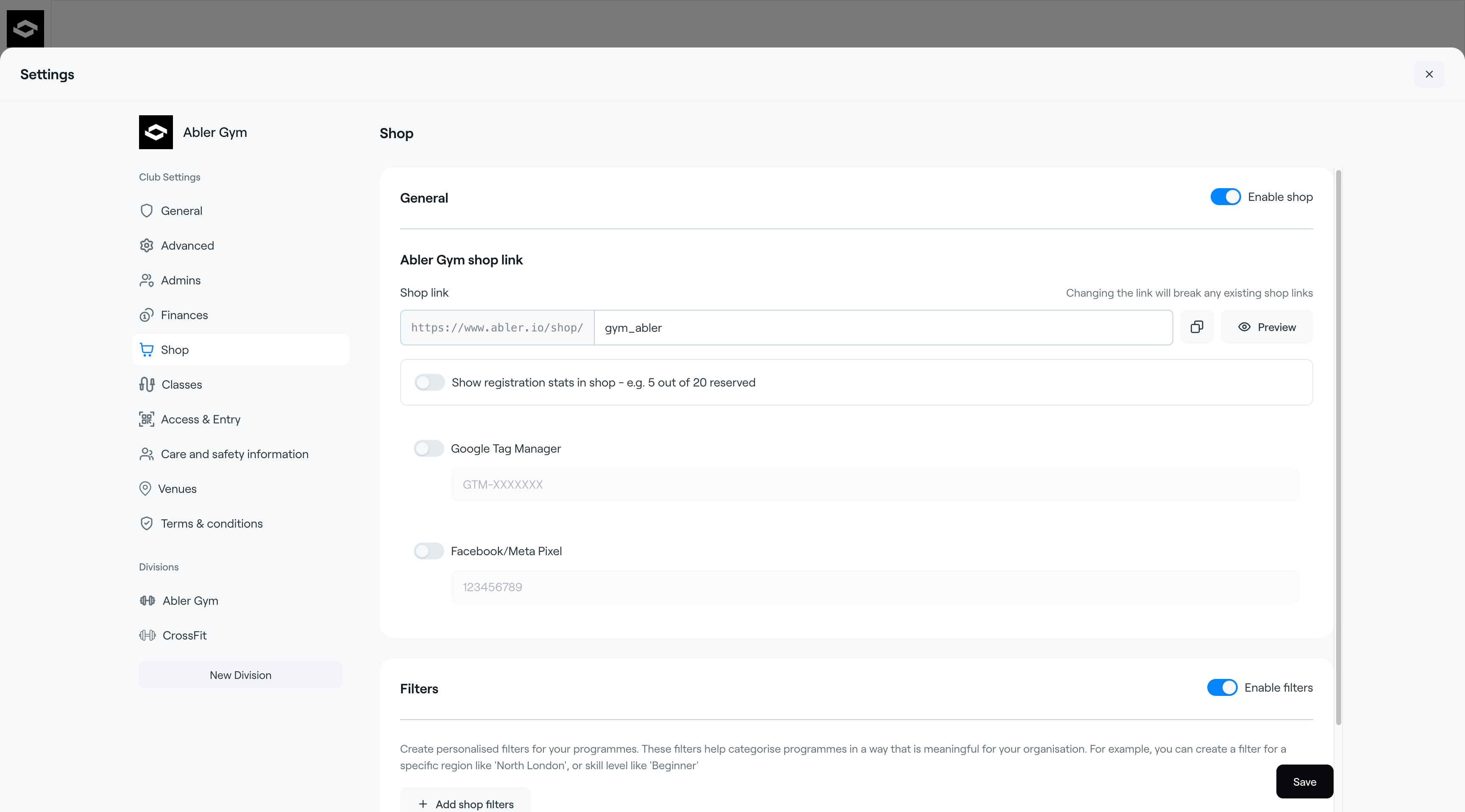
The Shop tab allows you to manage your organisation’s online shop and customise how programmes are displayed to members.
Shop link
Create and manage your public shop URL.
You can Preview to see how the shop appears to members
Changing the shop link may break previously shared links.
Show registration stats in shop
Display programme availability directly in the shop, for example:
“5 out of 20 reserved”.
This helps members see how many spots are available before registering.
Google Tag Manager
Connect Google Tag Manager to track visitor activity and marketing analytics.
Facebook/Meta Pixel
Add a Meta Pixel ID to track conversions and improve Facebook and Instagram ad performance.
Filters
Enable Filters to organise programmes into categories that make browsing easier for members.
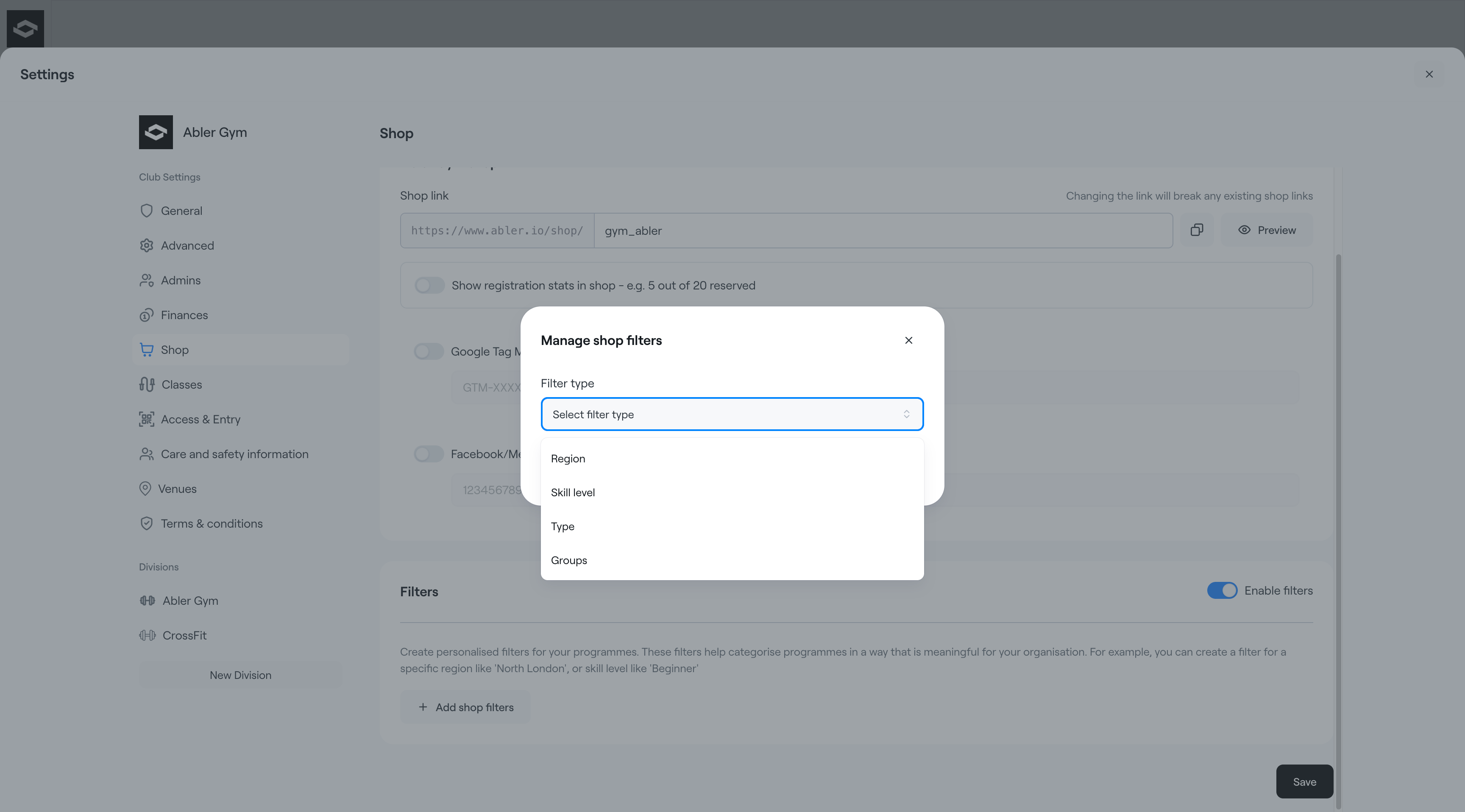
After enabling filters, click + Add shop filters to create filter categories for your shop.
Available filter types include:
- Region
- Skill level
- Type
- Groups
These filters help members quickly find relevant programmes in the shop.