
Events in Abler are activities created by club admins, or coaches for groups for example trainings, games, meetings, match, or social events.

When an event is created, it automatically appears for member, guardians, and coaches in the Abler app. Users can view the time, location, description, and other important details directly in their schedule in Abler app.

Members and guardians can also respond to attendance, see updates, and receive notifications if any changes are made to the event.

Events can always be edited, updated, cancelled, or deleted if needed.
The Events tab gives an overview of all scheduled activities within the organization. Here, staff can view, manage, and create trainings and other event types.
The Events section is available on three different levels in the system:
- Club level – displays all events across the entire club.
- Division level – displays all events within a selected division.
- Group level – displays events for a specific group only.
From this overview, staff can:
- View upcoming and past events
- Filter and search through events
- See attendance information
- View assigned subgroups, coaches, and venues
- Create new trainings and events
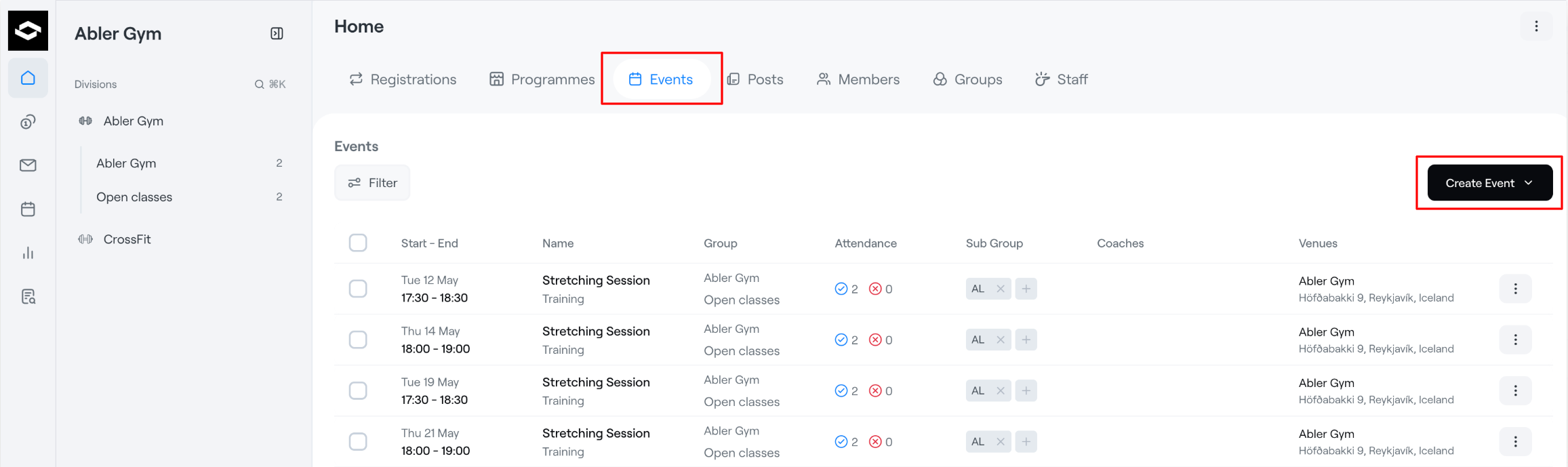
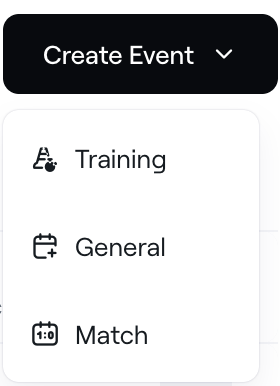
1. To create a new event, click the Create Event button in the top-right corner. Staff can choose between different event types such as:
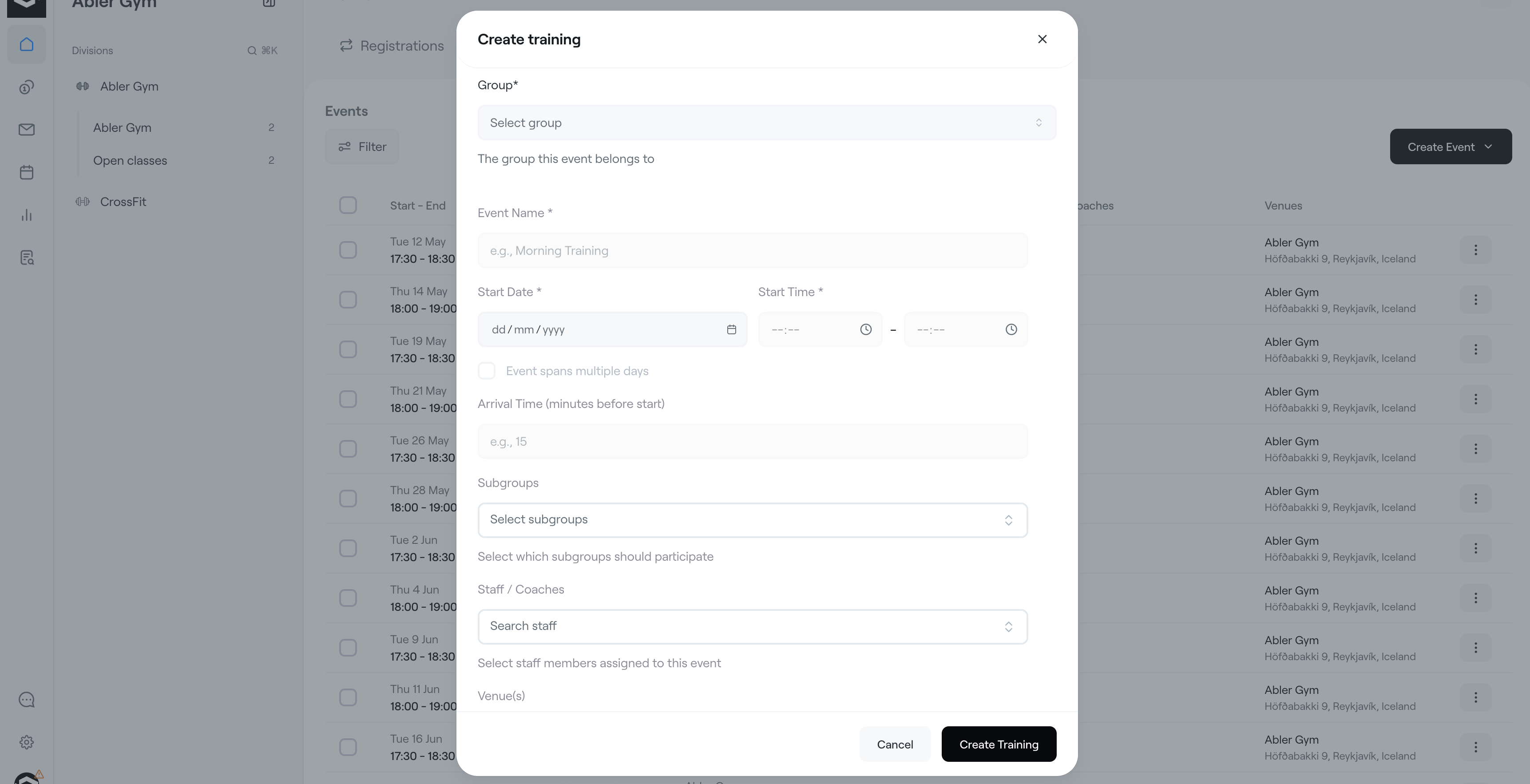
2. When creating a training or event, staff can define details such as:
- Group
- Event name
- Date and time
- Subgroups
- Staff/Coaches
- Venue
These details will be visible to the participant/parent. The group you select will be able to see the event. You can also create subgroups within a group if you need to divide the group into smaller sections.
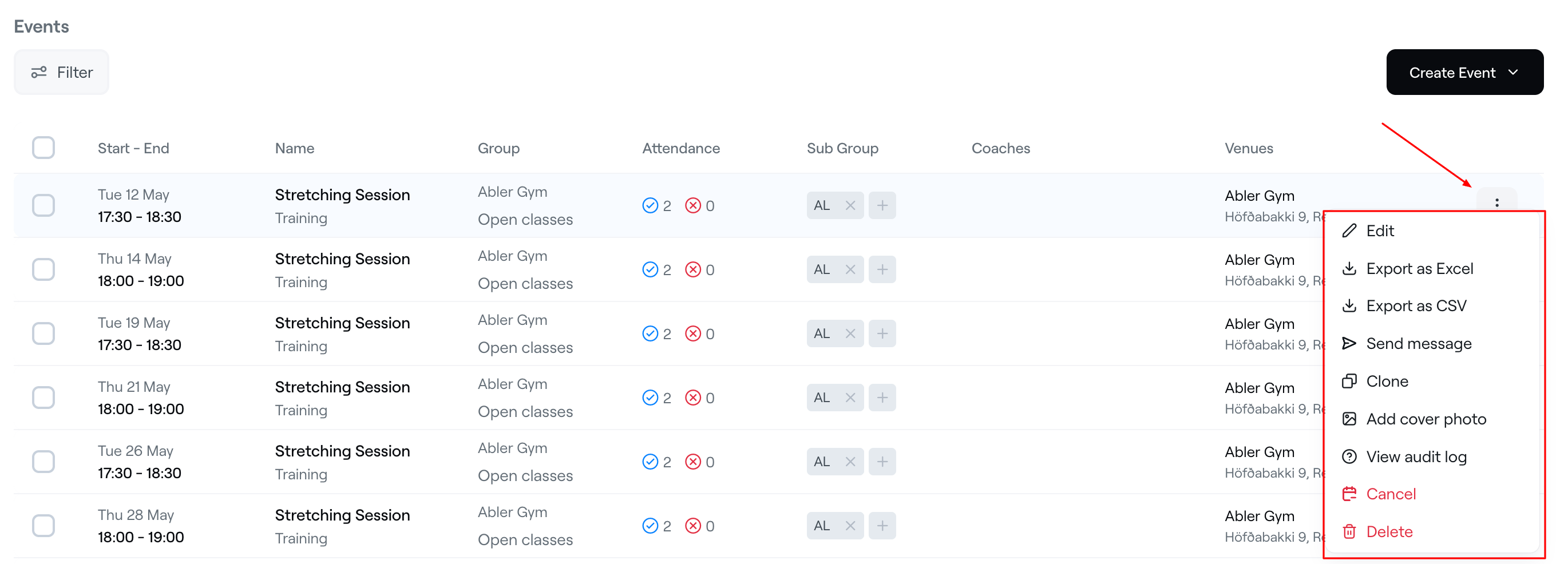
Each event also includes an action menu (⋮) on the right side of the event row. From this menu, staff can:
- Edit the event
- Export attendance data as Excel or CSV
- Send messages related to the event
- Clone an existing event
- Add a cover photo
- View the audit log
- Cancel or delete the event
This provides a centralized overview of all activities and makes it easy to organize events across the club structure.