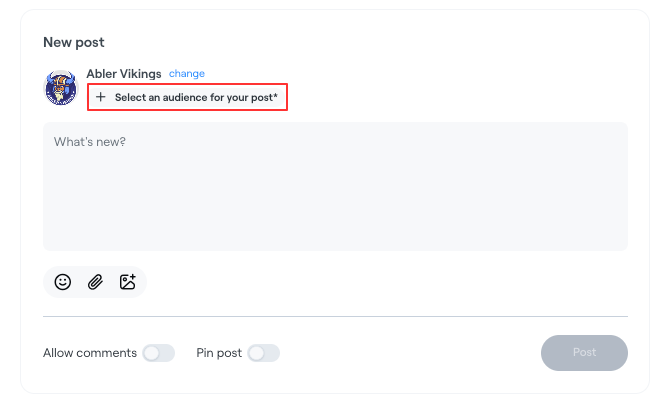
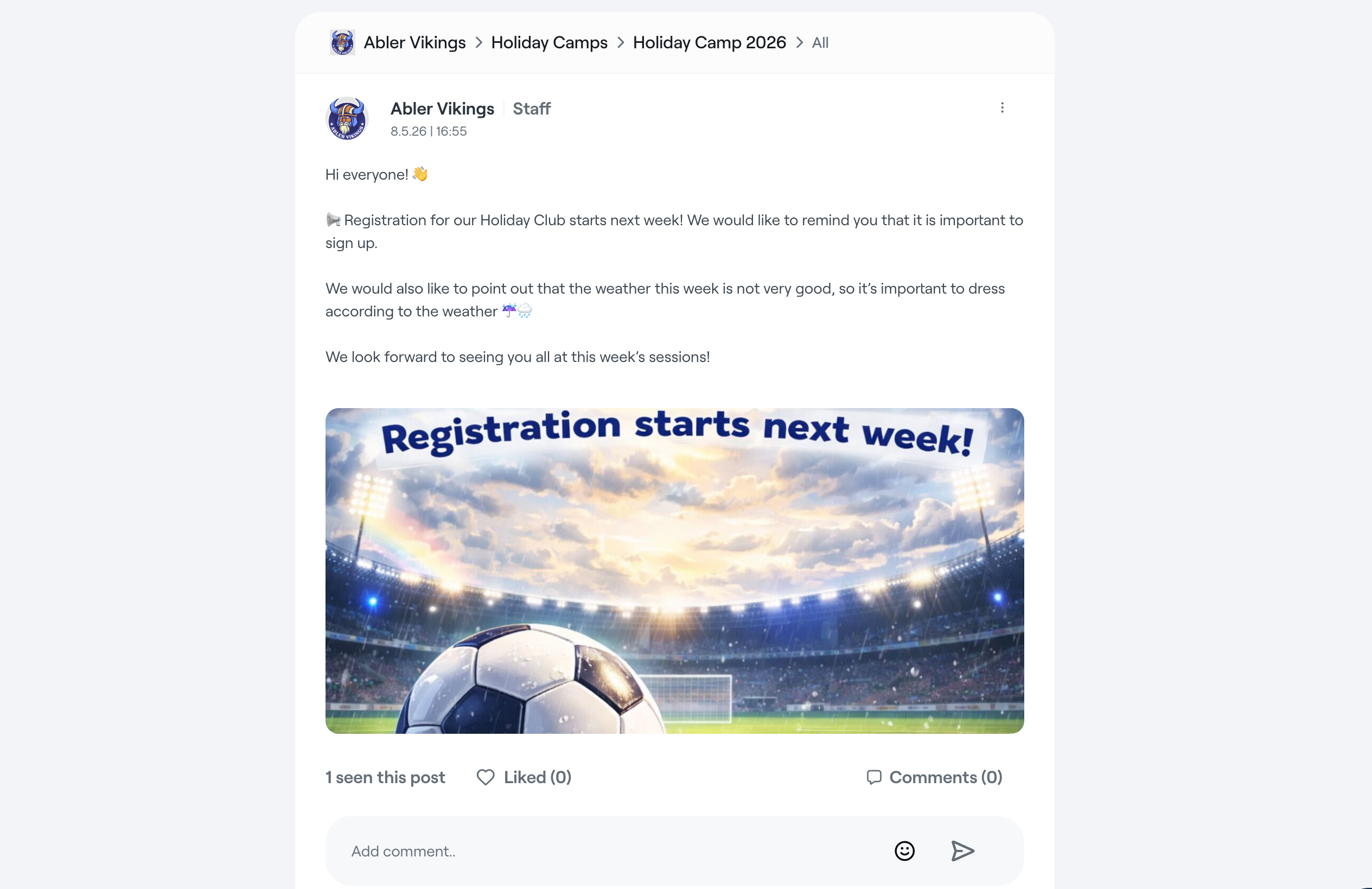
The Posts section allows clubs and staff to share updates, information, and announcements with members, guardians, and staff.
Create a post
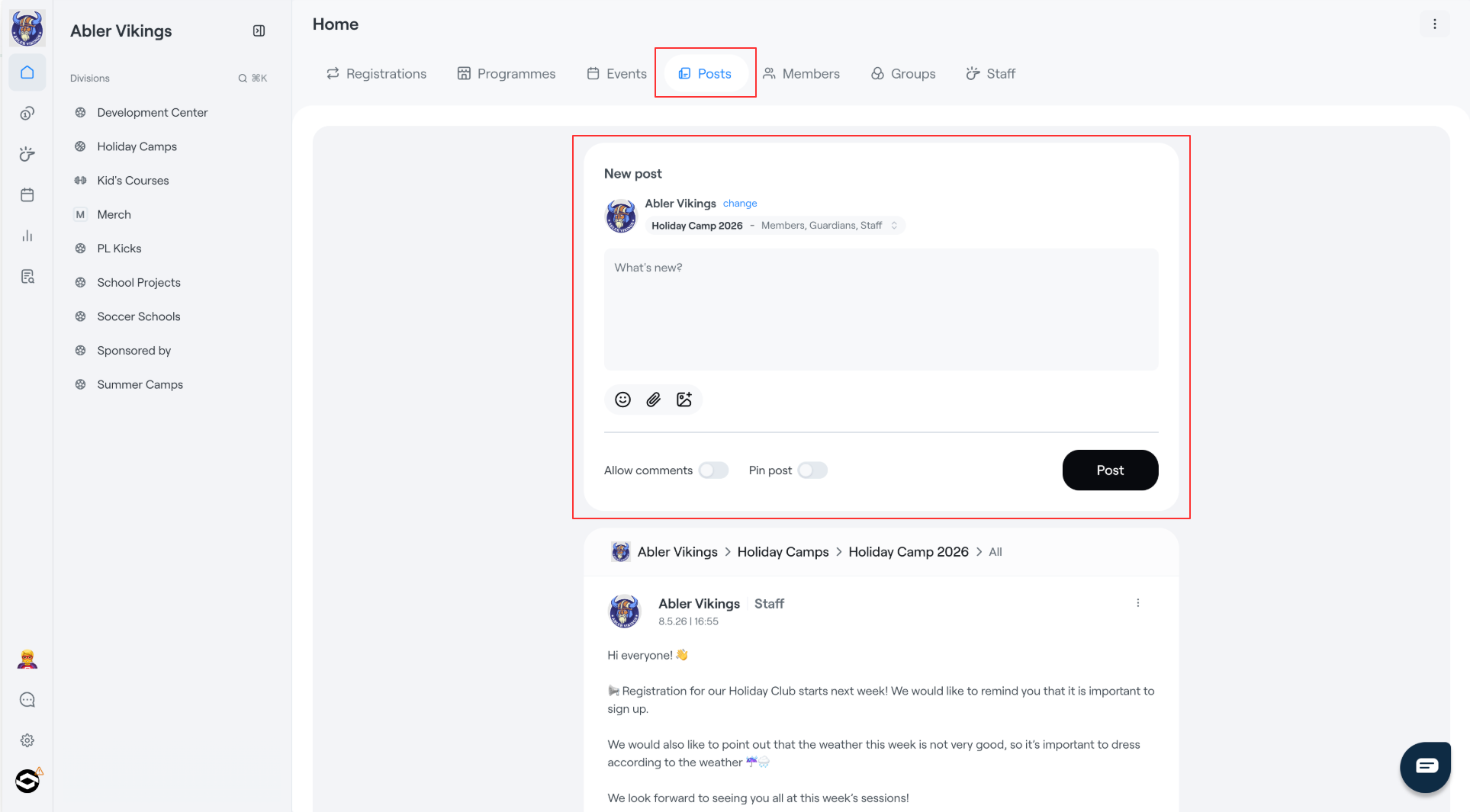
- Open Posts from the top navigation.
- Write your message in the New post box.
- Add images or emojis if needed.
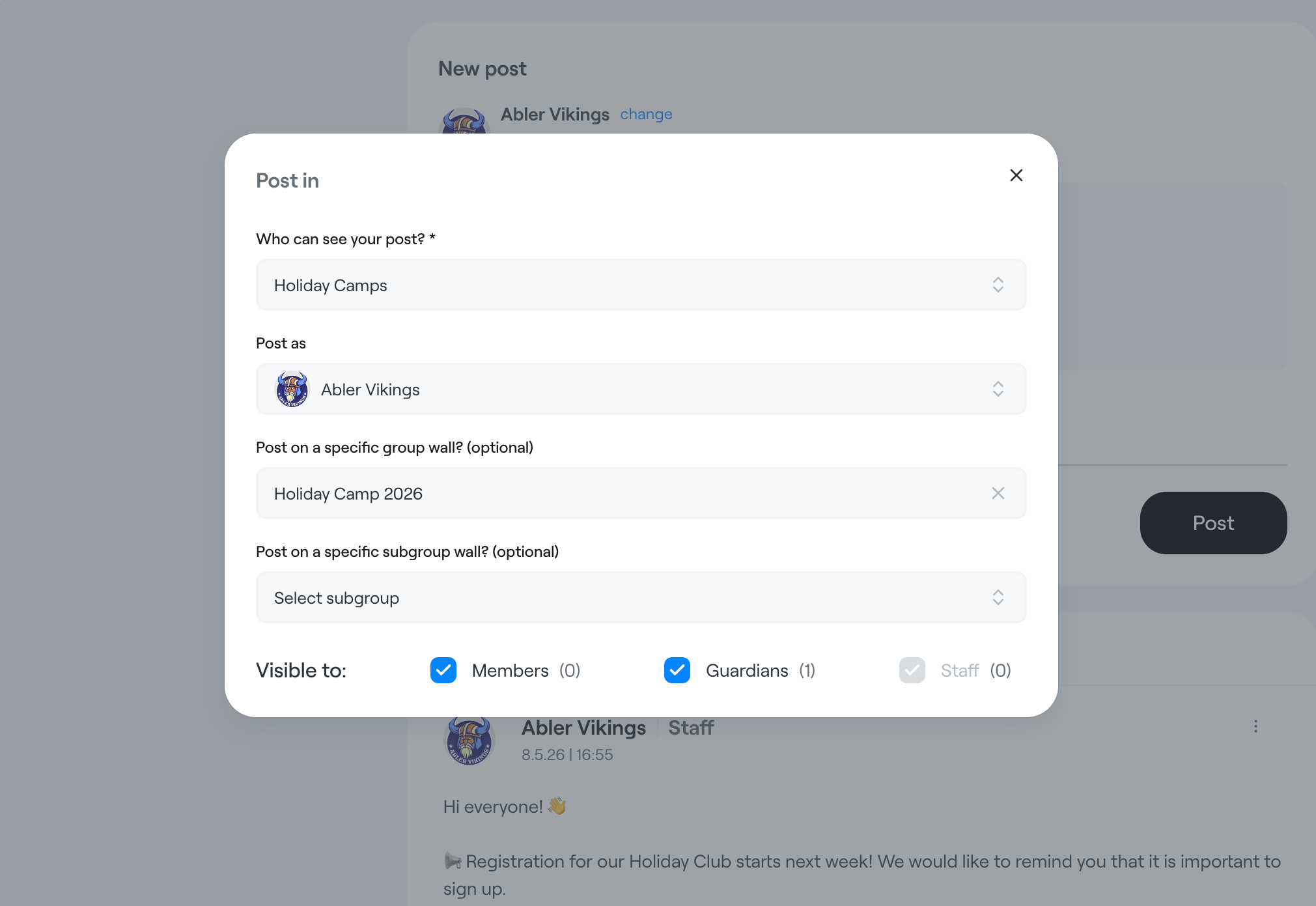
- Click Change next to the audience settings to choose where the post should be published and whether you want to post as yourself or on behalf of the club. Only administrators can publish posts on behalf of the club.
You can also:
- Allow or disable comments
- Pin the post to the top of the feed
- Upload images to make the post more engaging
Click Post to publish the post to the selected audience.
Choose where to publish the post
When creating a post, you can choose:
- Club or division
- Which profile to post as
- A specific group or subgroup wall
- Who can view the post:
- Members
- Guardians
- Staff
The counters next to each audience type show how many users will be able to see the post.