
Overview: This feature is a powerful tool for coaches to ensure all participants are billed correctly, even after a payment deadline has passed on payable events. By manually updating a player's attendance to "Present," the system automatically generates an invoice for the parent, streamlining the collection process for late registrations or missed payments.
Pro Tip: This method is the fastest way to "unlock" an expired payable event for a parent without having to restart the entire registration process or extend the deadline for the whole group.
When to Use This Feature
- Missed Deadlines: Parents forgot to pay before the event deadline expired.
- Manual Overrides: Ensuring that everyone physically present at a payable event is accounted for financially.
How to Activate the Invoice via Attendance on Payable Events
Locate the Event: Open the Abler app or web portal and go to the specific Payable Event in your schedule.
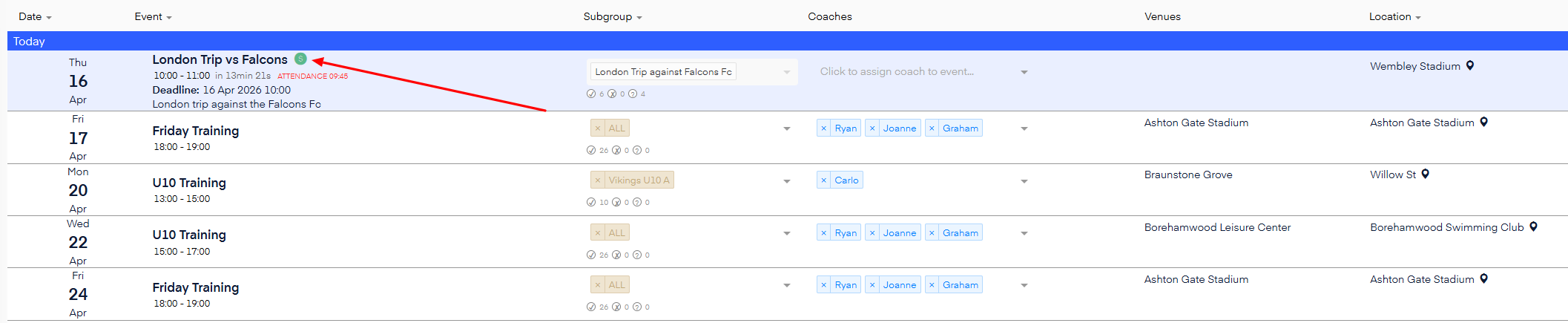
Update Status to "Present": Find the player who needs to be invoiced. Manually change their attendance status from "Absent" to "Present."
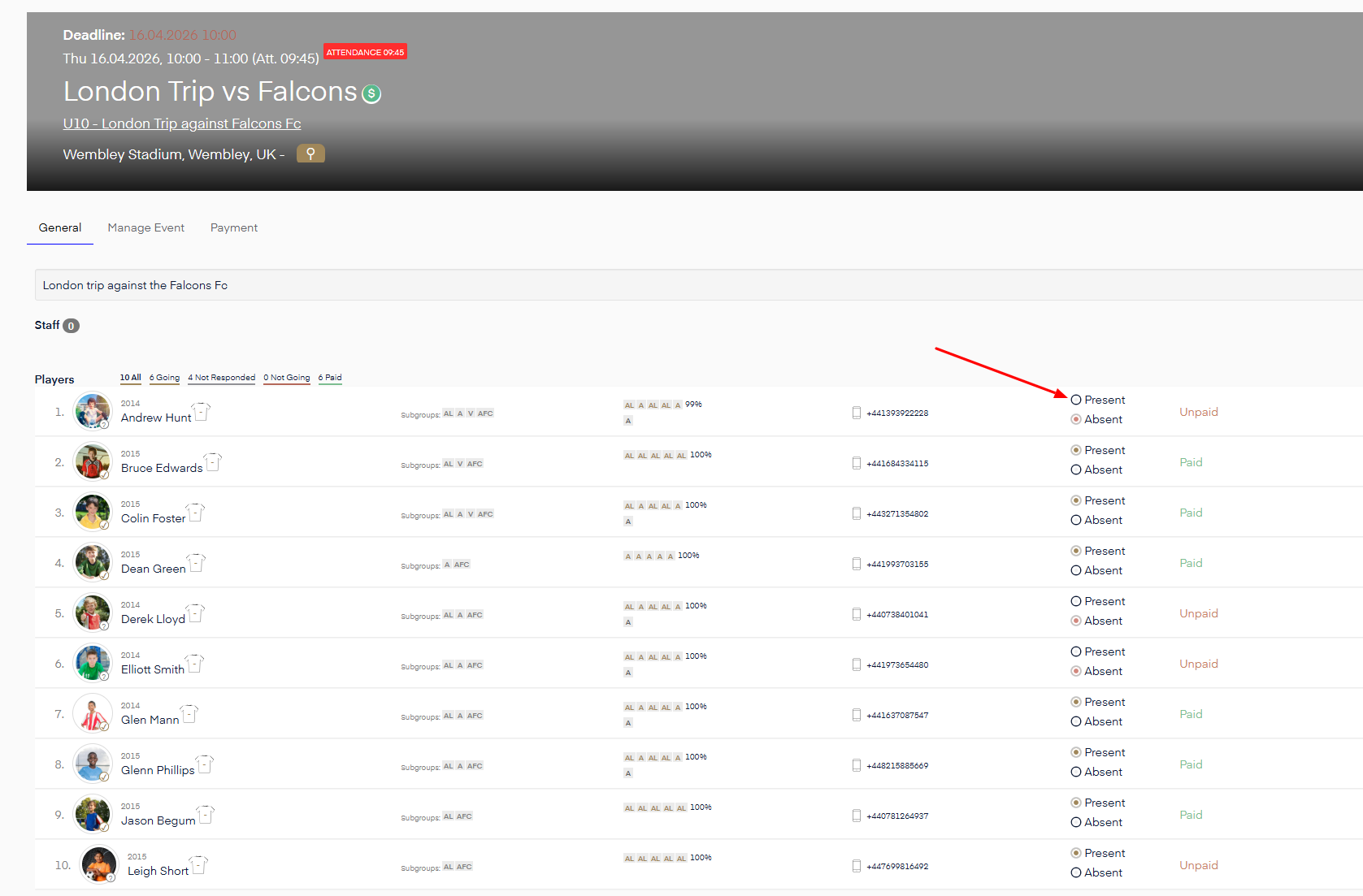
Automatic Invoice Generation: Once the status is set as "Present," the system recognizes that the participant is attending a payable event. It will immediately trigger an invoice and send it to the parent's registered account.
Important Notes for Coaches
- Permission Required: Ensure you have "Payments" rights assigned to your account to trigger financial actions.
- Real-Time Billing: As soon as you mark them as "Going," the invoice is live. Ensure you are selecting the correct player to avoid accidental billing.
- Syncing: The parent will be able to see this invoice in their "Payments" tab within Abler instantly, where they can complete the transaction.